Zera Workspace
A vision pro workspace with an AI agent
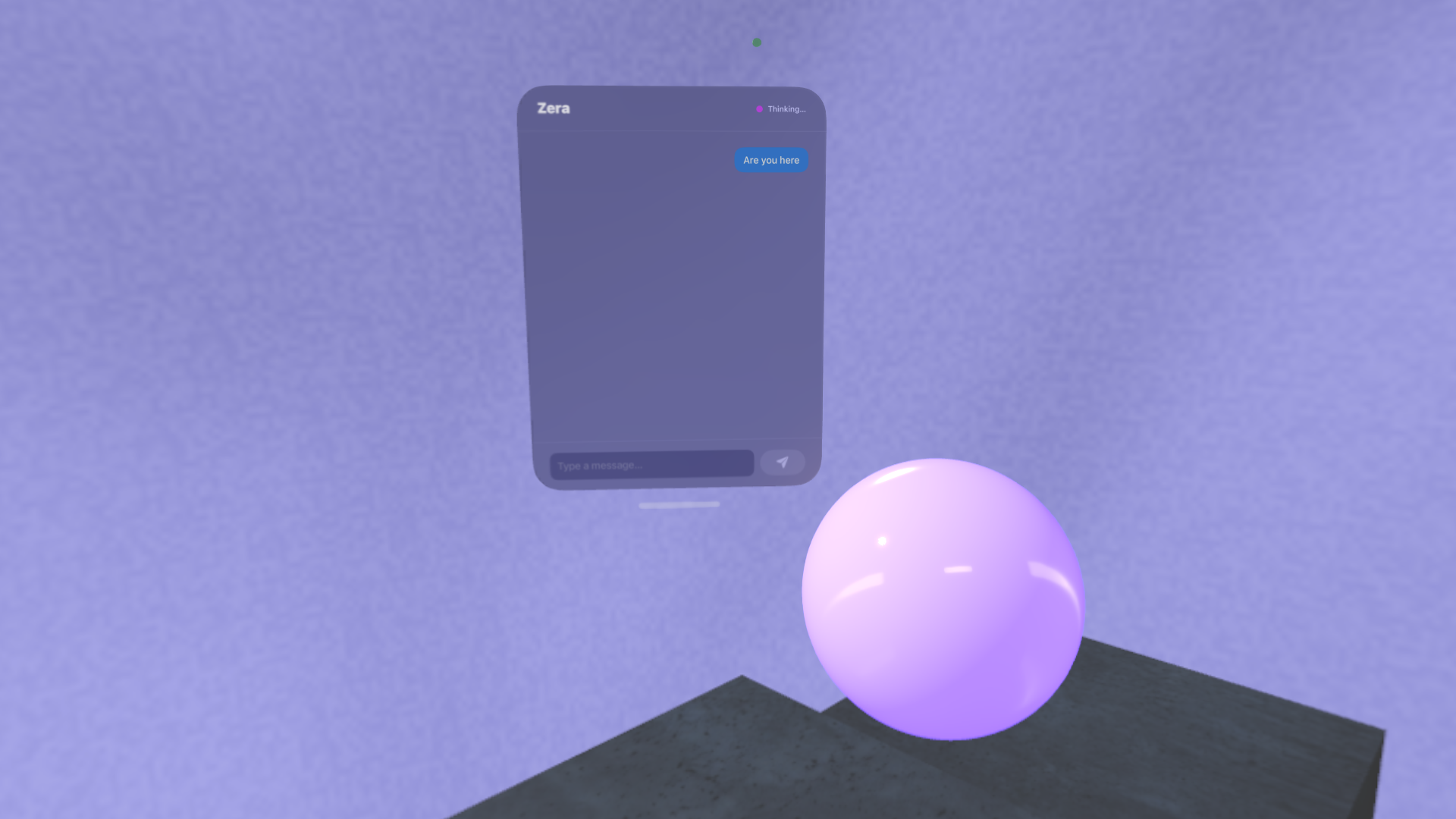
Zera: A Spatial AI Workspace for Apple Vision Pro
A voice-driven spatial computing experiment that brings an OpenClaw AI agent into a Vision Pro workspace.
At a Glance
- Role: Solo developer
- Project type: Personal exploratory Proof of Concept
- Timeline: Ongoing
- Core tools: Apple Vision Pro, visionOS spatial development, OpenClaw, Claude, speech-to-text, database-backed 3D objects
- Status: Active PoC
Links
- Watch the workspace object-spawning demo
- OpenClaw integration PR
- Live demo: In development
The Catalyst
I have always been interested in video games and emerging technology. After my last web development job, I began feeling burned out by the work I was doing and wanted to explore something that made me curious again.
That opportunity came when I visited an Apple Store and saw two people testing the Apple Vision Pro. They looked genuinely amazed by what they were seeing. Afterward, I researched the device and found that many reviewers were hesitant to recommend it because of its price and form factor.
Rather than relying on reviews, I wanted to experience it for myself. A few weeks later, I bought one.
My hypothesis was simple:
Could an AI agent become a useful, voice-driven interface for a spatial computing workspace?
The Solution
I created a Vision Pro workspace connected to an OpenClaw agent named Zera. The goal was to move beyond a traditional chatbot and allow the agent to create and manipulate objects directly in a 3D environment.
The initial system supported:
- Voice and text communication through a gateway-connected chat window
- Spawning pre-built 3D objects into the spatial environment
- Resizing, rotating, and translating objects
- Database-backed object lookup
- A foundation for turning Zera into an OpenClaw node
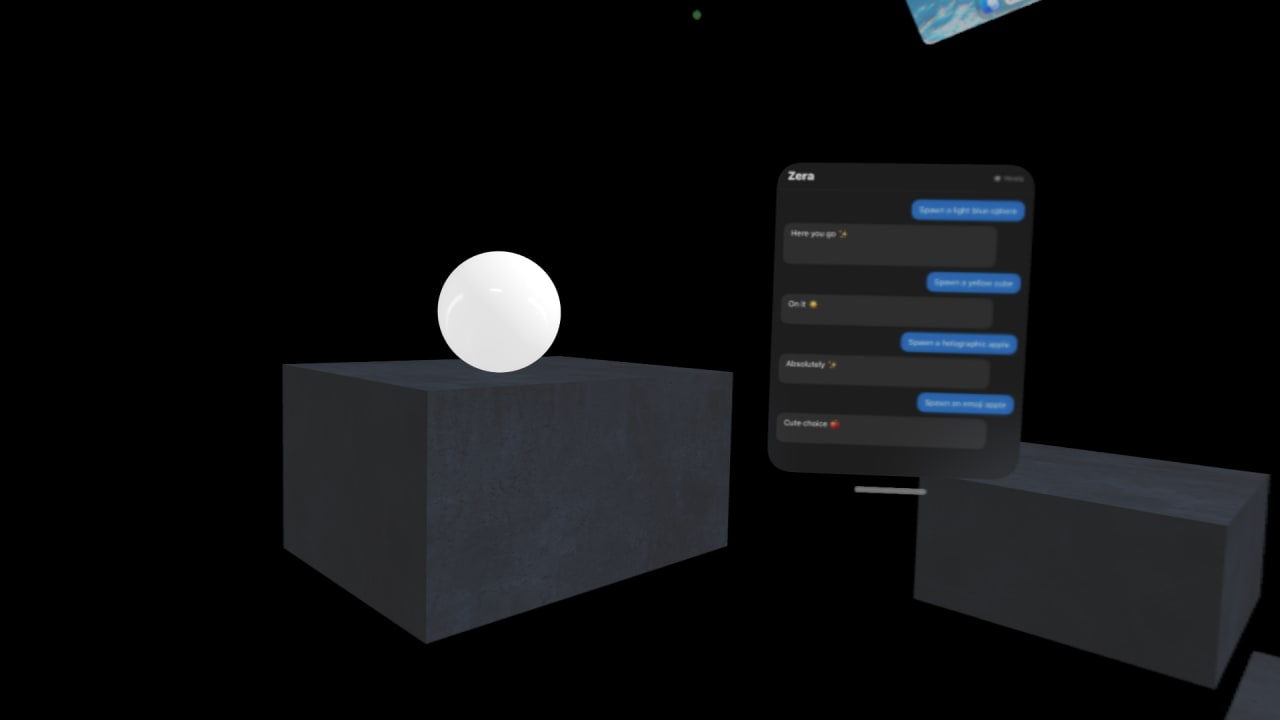
Architecture and Technical Decisions
The first version of my workflow used Claude on my Mac through the Vision Pro’s mirrored display. I quickly found that repeatedly switching between code, deployment, and device testing was slowing me down.
To simplify the workflow, I connected the Vision Pro directly to my OpenClaw machine through a gateway:
- I send a voice or text request from the Vision Pro.
- The request is passed through the OpenClaw gateway.
- Zera interprets the request.
- Zera looks up the requested object in the database.
- The Vision Pro places the object into the spatial workspace.
I chose a database of pre-built objects instead of generating every object at runtime. This made the experience faster and more predictable, but limited the system to the assets already available in the catalog.
I also explored making the application an OpenClaw node and submitted an integration PR. At the time, the repository had more than 5,000 open pull requests, so I continued developing the project independently while waiting for feedback.
Challenges and Pivots
The biggest technical challenge was learning 3D development from scratch. I had experience building websites, but I had never developed an interactive spatial application before.
The second challenge was designing a workflow that felt more natural than using a mirrored laptop screen. The gateway-based approach allowed me to reuse Zera’s existing agent runtime while giving the Vision Pro a more direct role in the interaction.
Current Status and Impact
This project is an active Proof of Concept. The current implementation demonstrates that an AI agent can respond to natural-language requests by spawning and manipulating objects in a Vision Pro workspace.
The project has not yet reached production readiness. I am currently rebuilding Zera to be more robust and cost-effective using local AI, so development on the spatial workspace is temporarily paused.
The main outcome of the experiment is qualitative: it validated the idea that an AI agent can serve as a conversational control layer for a spatial environment.
Roadmap and Lessons Learned
Planned improvements include:
- Reconnecting the workspace to the rebuilt local-AI version of Zera
- Adding a larger and more flexible object catalog
- Improving the agent’s ability to understand spatial context
- Refining the OpenClaw node integration
- Adding more reliable state synchronization between the agent and Vision Pro
This project taught me that the most compelling part of spatial computing is not simply placing content in 3D space. It is creating a natural interaction model that makes the environment feel useful.
If I rebuilt the project today, I would define the data model and agent-to-device protocol earlier. I would also begin with a smaller vertical slice before expanding into more complex spatial interactions.